NEW QUESTION 115
A company uses Dynamics 365 Business Central.
The company plans to automatically create vendor payments based on posted purchase invokes. The payments should be summarized based on the vendor invoices.
You need to configure the vendor payments.
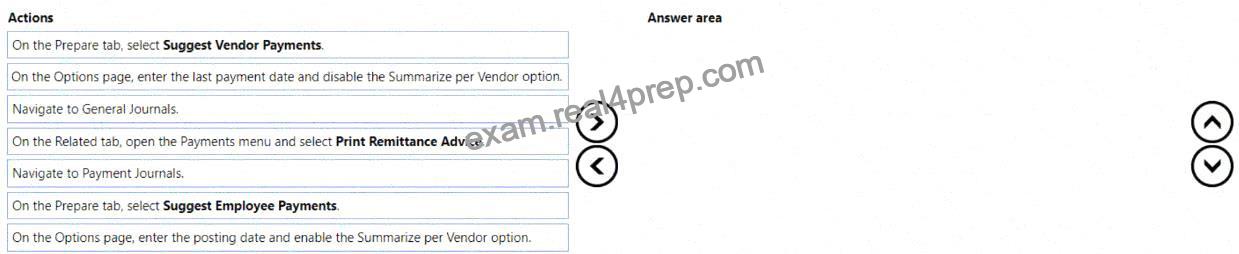
Which three actions should you perform in sequence? To answer, move the appropriate actions from the list of actions to the answer area and arrange them in the correct order.
Explanation:
In Dynamics 365 Business Central, vendor payments can be automatically suggested in the Payment Journal based on open vendor ledger entries (posted purchase invoices, credit memos, etc.).
Steps:
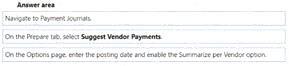
* Navigate to Payment Journals
* Go to Cash Management # Payment Journal. This is the dedicated journal for processing vendor payments.
* On the Prepare tab, select Suggest Vendor Payments
* This function automatically pulls in open vendor invoices that are due, according to vendor terms and due dates.
* On the Options page, enter the posting date and enable Summarize per Vendor
* The posting date ensures all payments are created for the correct accounting period.
* Enabling Summarize per Vendor ensures that multiple invoices for the same vendor are grouped into one payment line. This matches the requirement to “summarize based on the vendor invoices.”
* (Optional) After this process, you can review, apply entries, and then post the journal or print remittance advice.
Other options in the list:
* General Journals # not the right journal for vendor payments (Payment Journal is correct).
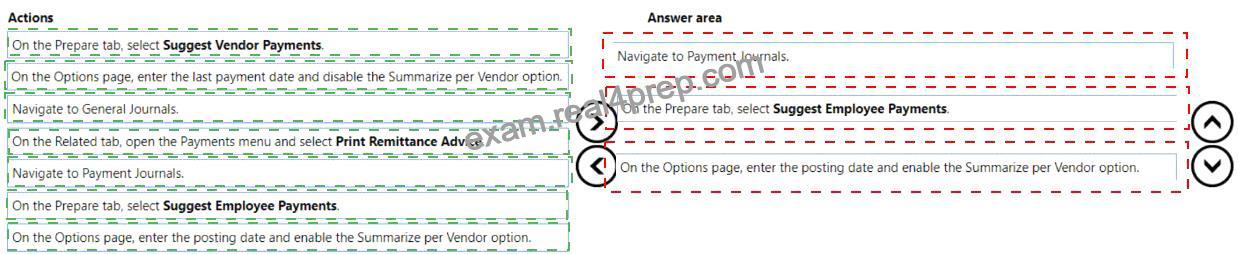
* Support Employee Payments # used for employee ledger entries, not vendors.
* Print Remittance Advice # occurs after posting, not part of setup/configuration.
Microsoft Learn References
* Suggest Vendor Payments
* Work with Payment Journals